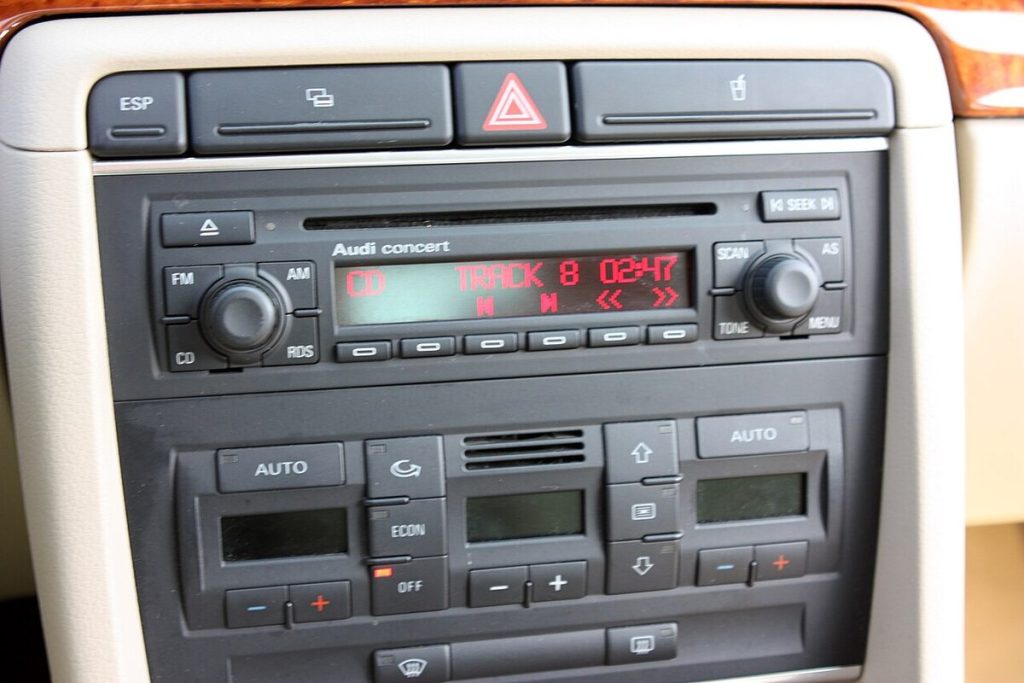
An Audi inspection due reset clears the service reminder on your dashboard after the work has been done, and on many models you can do it yourself through the driver information display or MMI menu. The exact buttons depend on your model and year, so always check your owner’s manual. More importantly, resetting the message does not carry out any service; it simply tells the car the interval has started again.
Key takeaways
- The reminder appears because the car calculates time, mileage or driving conditions since the last service.
- Reset it only after an inspection or oil service has actually been completed.
- Menu paths differ between models: look under Vehicle, Car, Service or Settings in the display.
- If the reset option is missing or the message returns, a garage with diagnostic equipment can do it.
- Clearing the message without servicing the car risks missed maintenance and possible warranty issues.
What the message means
Audis monitor service intervals using time and a record of how the engine has been used. When the system calculates that an oil change or inspection is approaching, it shows a message such as “Service due” or “Inspection due in 1,000 km”, often with the days or distance remaining. When the date passes, the text may change to “Inspection due now”. Many cars also have two separate reminders: a more frequent oil service and a larger inspection, which may be tracked separately.
This is a maintenance reminder, not a fault warning. A warning light for a problem such as low oil pressure, a brake fault or an engine management issue is a different matter, and should be dealt with straight away.
Before you reset anything
- Confirm the service was done. Check the invoice or service book and make sure the stamp or digital record is up to date.
- Check your owner’s manual for your model. Procedures vary between an A3, A4, A6, Q5 and others, and differ again between older and newer cars.
- Make sure the car is parked safely, with the ignition on and the engine usually off, depending on the model.
- Have your key ready; some cars require the ignition to be on, not just the accessories.
Typical ways to reset the reminder
Using the steering wheel controls and virtual cockpit
Many newer Audis use the multi-function steering wheel and the digital instrument display. The general approach is to switch the ignition on, then use the buttons to open the menu, select Vehicle or Car, then Service & Checks, and look for Service intervals or Inspection. If a reset option appears, confirm it. Some models only allow a reset after the interval has expired or when a reminder is active.
Using the MMI
On cars with MMI, navigate to Car, then Service & Checks (or Systems), then Service intervals. You may see options to view or reset. Select the appropriate item, confirm and wait for the display to update.
Using the trip reset button on older models
On some older models, the process involves holding a button on the instrument cluster while turning the ignition on. The sequence differs by year and cluster type, so find the right instructions in the manual or from an Audi specialist rather than guessing. Pressing the wrong sequence might not harm anything, but it can waste time or cancel a setting.
Where to find the instructions for your car
| Source | Good for | Notes |
|---|---|---|
| Owner’s manual (printed or in the glove box) | Model-specific steps | Most reliable starting point |
| Audi’s online owner resources or myAudi app | Digital manuals and service history | Availability varies by country and model |
| Independent Audi specialist | Older models and tricky resets | Ask about diagnostic tools |
| Main dealer | Warranty cars, software updates | Records may be updated directly |
| Forums and videos | Hints from other owners | Check the model year matches yours |
When a garage should do it
- The menu option is missing or greyed out.
- The reminder returns immediately after resetting.
- Your car is under a service plan, and the garage needs to update the official service history.
- There is a separate warning light alongside the reminder.
- You are unsure whether the work is actually due.
Professional workshops use diagnostic equipment that can reset service intervals, update the schedule and read any stored fault codes at the same time. This is especially useful if you bought the car second-hand and are not sure about its history.
Why resetting without servicing is a bad idea
It might feel tempting to clear a nagging message, but intervals exist for good reasons. Engine oil degrades, filters clog, brake fluid absorbs moisture, and inspections can spot worn parts early. A car with an incomplete or inaccurate service history can lose resale value, and warranty or service plan terms may require work to be done on schedule. If you have the car serviced by an independent garage, keep invoices that show the parts and fluids used.
For a wider look at keeping a vehicle in order, you can browse general information about the brand on Wikipedia’s Audi page, and for UK drivers the official government site GOV.UK covers MOT and vehicle checks.
Common mistakes
- Using instructions for a different model or year.
- Resetting the oil service when only the inspection was done, or the reverse.
- Disconnecting the battery as a “reset”, which usually does not clear service intervals and can upset other settings.
- Ignoring the message for months and assuming it is just an annoyance.
- Failing to record the date and mileage of the service.
Keeping on top of servicing
Put the next service date in your phone calendar, store receipts in one folder and check the tyre pressures, oil level and lights between services. Reading about unrelated topics can also help you develop good habits for record keeping, such as our guides on how to find Clinton, AR obituaries or which branch of the military is oldest, which show how to check sources before you trust them. The same applies to car advice: trust the manual and a qualified technician over a random post.
If you enjoy practical explainers, you might also like our article on where momos originate, which uses the same step-by-step approach for a very different subject.
Frequently asked questions
Can I do an Audi inspection due reset myself?
On many models, yes, via the display menu, but the steps vary. Check your manual first.
Does the reset change the service history?
No. It only clears the dashboard reminder. The official service history is a separate record kept by a garage or dealer.
Why does the message keep returning?
It may not have reset properly, the wrong interval was reset, or there may be a software or sensor issue. Ask a garage to check.
Is “inspection due” an urgent warning?
Not by itself. It is a reminder, but you should book a service soon, particularly if the date or distance has passed.
Will resetting void my warranty?
The act of resetting should not, but missing a required service could affect warranty or service plan terms. Check your documents.
Conclusion
An Audi inspection due reset is simple on many cars, but it should follow, not replace, proper maintenance. Confirm the work has been done, use the instructions for your exact model, and let a garage step in when the menu will not cooperate. Your service reminder will then go back to doing its job quietly.
Key takeaways about audi inspection due reset
Here is a short summary of audi inspection due reset so you can find the main points quickly.
- An Audi inspection due reset clears the service reminder on your dashboard after the work has been done, and on many models you can do it yourself through the driver information display or MMI menu.
- Audis monitor service intervals using time and a record of how the engine has been used.
- This is a maintenance reminder, not a fault warning.
- Many newer Audis use the multi-function steering wheel and the digital instrument display.
Questions about audi inspection due reset are common, so it helps to compare more than one trustworthy source.
Use this page as a starting point for audi inspection due reset and come back to it when your situation changes.
Good decisions about audi inspection due reset come from checking the facts, comparing your options and taking your time.
Save this guide to audi inspection due reset so you can find it again whenever you need a quick reminder.
If you only remember one thing about audi inspection due reset, make it the practical steps covered in this guide.
Related reading:
For general background, you can look up audi inspection due reset on Wikipedia.